
Suites Documentation
Smart Sensing Suite
To support the adoption and deployment of the AGILEHAND Smart Sensing Suite, a complete set of technical and user-oriented documentation has been developed. These resources are designed to guide industrial partners, system integrators, and technical personnel through the installation, configuration, and operation of the smart sensing solutions.
Installation Manual
The Installation Manual provides detailed technical guidance on how to deploy the Smart Sensing Suite within an industrial environment. It includes hardware requirements, system configuration steps, integration procedures, and recommendations to ensure reliable and optimal performance. This document is intended for technical teams responsible for system setup and integration.
Installation Video
The Installation Video offers a visual, step-by-step demonstration of the installation process. It complements the written manual by illustrating key procedures, helping users understand how to correctly install and connect the sensing components. This resource facilitates faster deployment and reduces potential installation errors.
User Manual
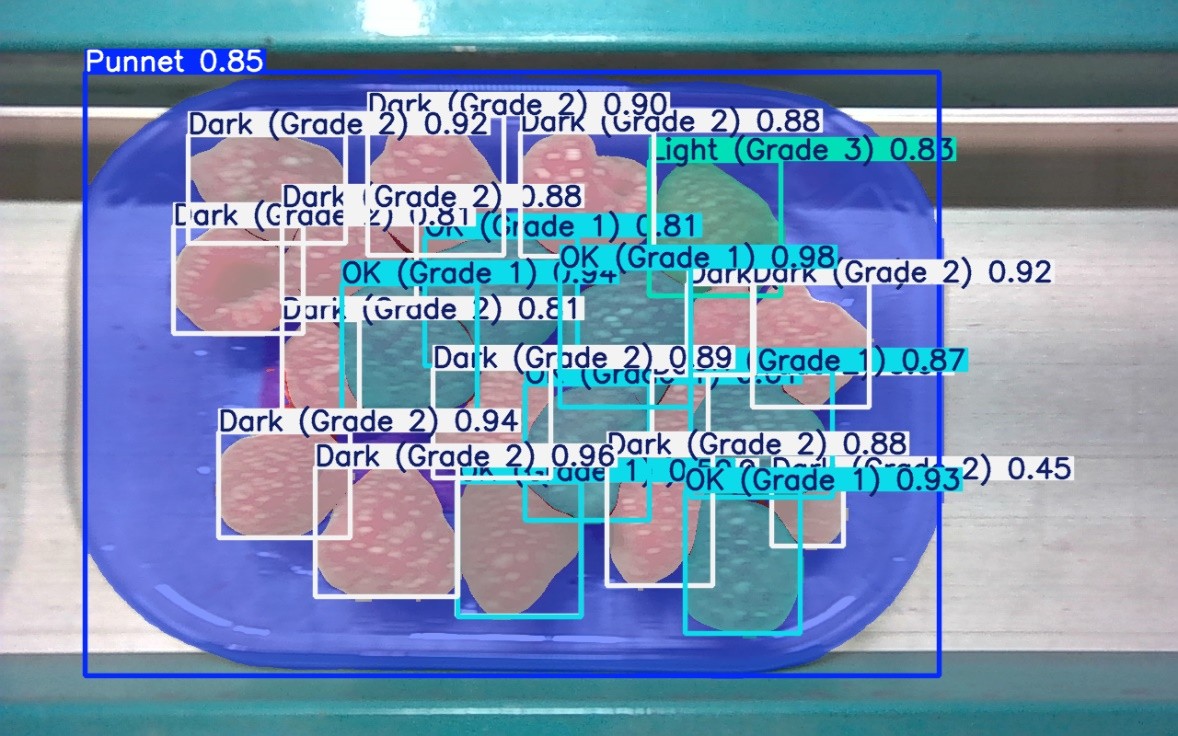
The User Manual explains how to operate and manage the Smart Sensing Suite once installed. It describes the system interface, configuration options, and operational workflows, enabling users to monitor sensing data, adjust parameters, and ensure efficient and accurate product grading. This document is designed for operators, engineers, and production managers.
Together, these materials provide comprehensive support for the implementation and use of the AGILEHAND Smart Sensing Suite, helping companies enhance product quality assessment, improve traceability, and enable more flexible and intelligent production processes.
Self-Adaptive Handling, Sorting and Packaging SUITE
To support the deployment of the AGILEHAND Self-Adaptive Handling, Sorting and Packaging Suite, an installation video is now available to guide users through the setup and integration process.
This video provides a clear, step-by-step demonstration of how the robotic handling module is installed and configured within an industrial sorting and packaging environment. It illustrates the integration of key components, including the robotic manipulator, adaptive gripper, vision system, and control interfaces.
The installation video is designed to assist technical teams, system integrators, and industrial partners in ensuring a correct and efficient deployment of the solution. By visualising the installation procedures, users can better understand system requirements, integration steps, and best practices for achieving optimal performance.
In addition, demonstrator videos from the PRODUMAR and MARELEC pilots showcase the AGILEHAND solutions operating in real industrial environments. These videos highlight how adaptive robotic systems enable the safe, autonomous handling and sorting of delicate fish products, improving production efficiency, flexibility, and automation while ensuring high product quality.
Together, these videos illustrate the practical deployment and industrial impact of the AGILEHAND Self-Adaptive Handling, Sorting and Packaging Suite.
Agile, Flexible and Rapid Reconfigurable SUITE
To support the deployment and adoption of the AGILEHAND Agile, Flexible and Rapid Reconfigurable Suite, a comprehensive set of documentation and demonstrator videos has been developed across its three core components: PTagile (Task 6.1), Digital Twin (Task 6.2), and PRagile (Task 6.3).
PTagile (Task 6.1) – Production Traceability and Optimisation
For PTagile, the first demonstrator video and its associated documentation (Documentation) provide an overview of the solution’s capabilities in enabling product-oriented traceability and supporting production optimisation. These materials illustrate how the solution collects, processes, and manages production data to enhance monitoring, transparency, and operational efficiency.
DTAGILE (Task 6.2) – Digital Twin
The Digital Twin component is supported by a complete set of technical resources, including an Installation Manual, installation video, and User Manual. These materials guide users through the setup, configuration, and operation of the digital twin system, enabling virtual representation, monitoring, and analysis of production processes to support decision-making and rapid adaptation.
PRAGILE (Task 6.3) – Rapid Production Reconfiguration
For PRagile, demonstrator videos and documentation are available for the Marelec and Sant’Orsola pilots. These materials showcase how intelligent software tools support rapid production reconfiguration by predicting product quality and quantity based on historical and real-time data, helping manufacturers optimise planning and improve operational performance. As described in the Marelec demonstrator documentation, the system allows users to generate quality and quantity predictions through an intuitive interface, supporting data-driven decision-making and more agile production management